
Will my phone work?
Which Phones Support HDMI Output? The Full List by Brand
Phones that support HDMI output over USB-C are mostly flagships: Samsung Galaxy S8 and newer S models, Galaxy Note 8 and newer, Galaxy Z Fold, Galaxy Tab S, Google Pixel 8 and newer (with Android 16), Sony Xperia 1 and 5, Huawei Mate and P flagships, several Motorola Edge Pro and Ultra models, ASUS ROG Phone and some LG G and V models. Most budget phones, including most Galaxy A models, Redmi, POCO, OnePlus and moto g/e, do not.
On this page
A USB-C to HDMI cable only shows a picture if the phone can send video out of its USB-C port. That feature is called DisplayPort Alt Mode, and it is built into the hardware. If you want the background, read what DisplayPort Alt Mode is. If you just want to know whether your phone will work, the tables of phones that support HDMI output below answer it brand by brand.
About this list: it is deliberately conservative. A phone is marked "Yes" only when we are confident it outputs video over USB-C, and it is the same database the USB-C to HDMI app uses for its compatibility check. If your phone is not here, that means "unknown", not "no". Jump to how to check a phone that is not listed.
Samsung phones with HDMI output
Samsung has the most phones that support HDMI output, but only on its higher-end lines. Every Samsung model marked "Yes" also runs Samsung DeX, a desktop-style interface, when connected to a TV or monitor. You can switch DeX off to get a plain mirror instead; see our Samsung DeX over HDMI guide.
| Samsung model | HDMI output? | Notes |
|---|---|---|
| Galaxy S8 and newer S models (S9, S10, S20, S20 FE, S21, S22, S23, S24 and later) | Yes | DeX or screen mirroring |
| Galaxy Note 8 and newer (Note 9, Note 10, Note 20) | Yes | DeX or screen mirroring |
| Galaxy Z Fold series | Yes | DeX or screen mirroring |
| Galaxy Tab S4 and newer, Tab S5e | Yes | DeX or screen mirroring |
| Galaxy A90 5G | Yes | The only Galaxy A model with video out |
| Galaxy A series (all others) | No | Use casting or Smart View instead |
| Galaxy M and F series | No | Use casting or Smart View instead |
| Galaxy Tab A | No | Use casting or Smart View instead |
| Galaxy Z Flip series | No | USB 2.0 port, no video |
Google Pixel HDMI output
Pixel phones were a long-standing "no". DisplayPort output arrived with Android 16, and only on the Pixel 8 generation and later. If you have a Pixel 8 or newer and nothing shows on the TV, install the Android 16 update first.
| Pixel model | HDMI output? | Notes |
|---|---|---|
| Pixel 8, 8 Pro, 8a | Yes | Needs Android 16 |
| Pixel 9 series and newer | Yes | Needs Android 16 or later |
| Pixel 7, 7 Pro, 7a and older | No | No video out over USB-C |
Other phones that support HDMI output: Sony, Motorola, Huawei, ASUS, LG
| Brand and model | HDMI output? | Notes |
|---|---|---|
| Sony Xperia 1 series | Yes | |
| Sony Xperia 5 series | Yes | |
| Sony Xperia 10 series | No | Mid-range line, no video out |
| Motorola Edge 20 Pro, Edge 30 Pro, Edge 30 Ultra | Yes | "Ready For" desktop and TV mode |
| Motorola Edge 40 Pro, Edge 50 Ultra, Edge+ | Yes | "Ready For" |
| moto g100, moto g200 | Yes | "Ready For" |
| moto g and moto e (budget models) | No | Use casting instead |
| Huawei Mate flagships (Mate 10, 20, 30, 40 class) | Yes | |
| Huawei P flagships (P20, P30, P40 class) | Yes | |
| ASUS ROG Phone series | Yes | |
| LG G7, V40, G8, V50, V60 class | Yes | Some G and V flagships only |
Phones that usually do not support HDMI output
These brands and lines generally have USB-C ports wired for charging and data only. A USB-C to HDMI cable will show "No signal" on the TV, and no app can change that.
| Brand or line | HDMI output? | What to use instead |
|---|---|---|
| Xiaomi Redmi | No | Casting, Screen mirroring (Miracast) |
| POCO | No | Casting, Screen mirroring (Miracast) |
| OnePlus | No | Casting, Screen mirroring (Miracast) |
| Realme | No | Casting, Screen mirroring (Miracast) |
| Tecno, Infinix, itel | No | Casting, Screen mirroring (Miracast) |
| Nokia | No | Casting, Screen mirroring (Miracast) |
| Most budget phones from any brand | No | Casting, Screen mirroring (Miracast) |
"Usually" matters here. Makers occasionally add video out to one model in an otherwise unsupported line, so if your exact model's spec sheet mentions DisplayPort output, trust the spec sheet.
Not listed? How to check if your phone supports HDMI output
New models arrive all the time, so no list of phones that support HDMI output is ever complete. If your phone is not in any table above, treat it as unknown. These steps settle it in a few minutes.
- Check the official spec sheet. Search your exact model plus "specifications". Look for "DisplayPort", "DP Alt Mode", "video output", "USB 3.1/3.2" or a desktop mode. "USB 2.0" alone means no.
- Run the app's compatibility check. Install the free USB-C to HDMI app. It gives a likely, unlikely or unknown verdict for your model on first launch.
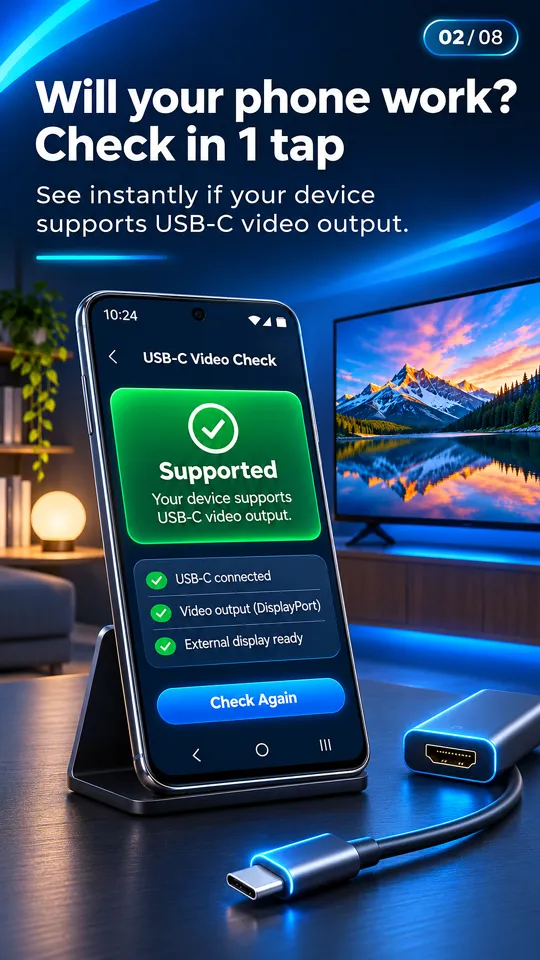
The compatibility check uses the same list as this page. - Test with a cable. Plug a USB-C to HDMI cable into the phone and the TV, unlock the phone and select the right HDMI input on the TV. If the phone detects the TV, the app's HDMI card turns green and shows the TV's resolution and refresh rate.
- Rule out the cable. If nothing appears, try a second cable or adapter before deciding. Charge-only cables and some adapters that need external power can fail on a phone that does support video. See our USB-C to HDMI not working checklist.
What about iPhone?
iPhone 15 and newer, with a USB-C port, also send video to HDMI through a USB-C to HDMI adapter. This site and our app cover Android phones only.
Your phone is a "No": what now?
You can still put photos and videos on a TV without a cable. Use Chromecast or Google TV casting, the phone's built-in Screen mirroring or Smart View (Miracast) to a smart TV, DLNA casting to smart TVs from Samsung, LG, Sony and others, or Browser Cast, which opens an address in the TV's web browser. The USB-C to HDMI app handles casting photos and videos over Wi-Fi, with the phone as a remote. It cannot add HDMI output to a phone that lacks it.
Be careful with adapters sold as "OTG to HDMI" or "MHL". OTG does not give video output, and MHL is a micro-USB standard almost no current phone supports. Our MHL checker guide and USB-C to HDMI adapter guide explain which adapters can work on which phones.
Questions people ask
Which phones support HDMI output?
Mostly flagships: Samsung Galaxy S8 and later S models, Note 8 and later, Z Fold and Tab S, Pixel 8 and later with Android 16, Sony Xperia 1 and 5, Huawei Mate and P flagships, Motorola Edge Pro and Ultra models, ASUS ROG Phone and some LG G and V models.
Does my phone support HDMI output?
Find it in the tables above. If it is not listed, check the spec sheet for "DisplayPort" or USB 3.x, run the free check in the USB-C to HDMI app, or test with a USB-C to HDMI cable.
Which Samsung phones have HDMI output?
Galaxy S8 and newer S models (including S20 FE), Galaxy Note 8 and newer, the Galaxy Z Fold series, Galaxy Tab S4 and newer plus Tab S5e, and the Galaxy A90 5G. Other Galaxy A, M and F phones, Tab A and the Z Flip do not.
Does Pixel support HDMI output?
Pixel 8, 8 Pro, 8a and newer do, after the Android 16 update. Pixel 7 and older do not output video over USB-C.
Do OnePlus, Redmi or POCO phones support HDMI output?
Usually not. Their USB-C ports are generally wired for charging and data only. Use Chromecast, Screen mirroring or DLNA casting instead.