
Connect your phone to a TV with USB-C to HDMI
One cable, your phone on the big screen: no Wi-Fi, no lag. But only some phones can send video out of their USB-C port. Find out if yours can before you buy a cable, connect it in three steps, and fix "no signal" when it happens.
Start here
Will a USB-C to HDMI cable work with your phone?
A USB-C to HDMI cable only works if your phone supports DisplayPort Alt Mode. Charging and data over USB-C say nothing about video. Here is the short version.
Usually works
Samsung Galaxy S8 and newer S models, Galaxy Note 8 and newer, Galaxy Z Fold, Galaxy Tab S, Google Pixel 8 and newer, Sony Xperia 1 and 5, Motorola Edge Pro and Ultra, ASUS ROG Phone. See the full list of phones that support HDMI output.
Usually does not
Most Galaxy A and M phones, Galaxy Z Flip, Pixel 7 and older, Redmi, POCO, OnePlus, Realme, Tecno, Infinix and most budget phones. No app, setting or OTG adapter can add video output to them.
No video output?
You can still get photos, videos and your screen onto the TV over Wi-Fi, and sometimes even without Wi-Fi or internet. Casting your media often looks better than mirroring anyway.
Guides
USB-C to HDMI guides
Connect phone to TV
Connect a phone to a TV with a USB-C to HDMI cable, with or without Wi-Fi, including wired cast and Samsung DeX.
How to Connect Your Phone to a TV with USB (and Actually See Your Screen)
A charging cable in the TV's USB port won't mirror. Here is the cable that does, and how to check your phone first.
How to Connect Your Phone to a TV with HDMI
Cable, adapter or hub: which one to buy, the steps, and how to get sound and full screen on the TV.
How to Connect Your Phone to a TV Without Wi-Fi
Cable, Miracast, hotspot or USB stick: four ways to get your phone on the TV with no router, and which one fits.
Wired Cast: How to Mirror Your Phone to a TV with a Cable
What wired cast really is, which phones support it, and when a cable beats Wi-Fi casting.
Samsung DeX HDMI: How to Connect Your Galaxy Phone to a TV
Which Galaxy phones run DeX on a TV, how to plug in, and how to switch to a plain mirror.
Will my phone work?
DisplayPort Alt Mode, MHL, which phones support HDMI output, and which USB-C to HDMI adapter to buy.
What Is DisplayPort Alt Mode? (And Does Your Phone Have It?)
The USB-C feature that decides whether a cable can put your phone on a TV, and how to check for it.
Which Phones Support HDMI Output? The Full List by Brand
Brand-by-brand tables of phones that can, and cannot, send video to a TV with a USB-C to HDMI cable.
MHL Checker: How to Tell If Your Phone Supports MHL
MHL is a micro-USB standard from about 2011 to 2016. How to check an old phone, and what replaced it.
USB-C to HDMI Adapter Guide: Which Kind Works With Your Phone
Plain cable, hub with charging, or DisplayLink: which USB-C to HDMI adapter your phone needs and what specs matter.
Fix problems
USB-C to HDMI not working: no signal, black screen, no sound, wrong size on the TV.
Why a cable
Wired beats Wi-Fi when it works
No lag, no drops
A wired cast sends the picture straight down the cable. Games, video calls and presentations stay in sync.
Works anywhere
Hotels, offices and classrooms often block casting. An HDMI port and the right USB-C to HDMI adapter are all you need.
Sound on the TV
Audio travels over HDMI too. If it does not, the USB-C to HDMI not working checklist covers it.
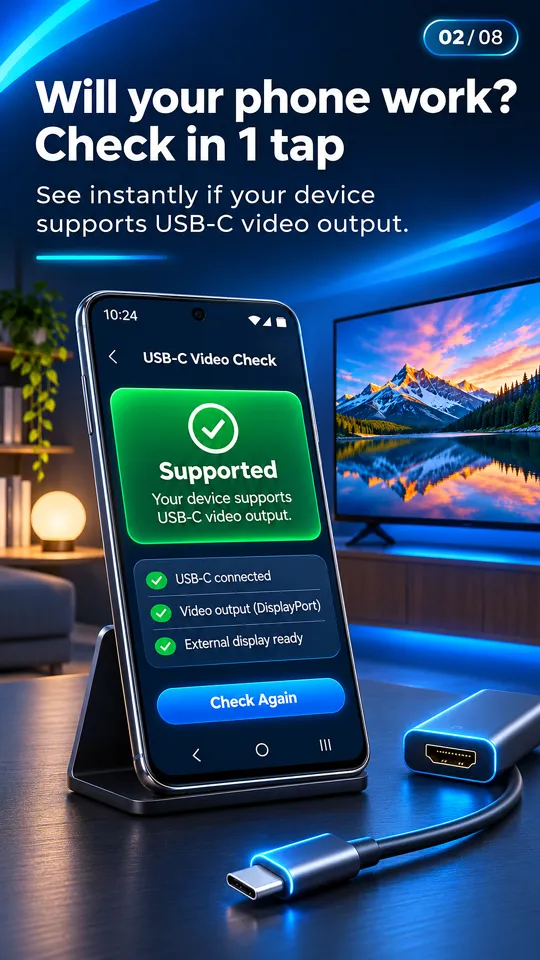
Check your phone in one tap
The free USB-C to HDMI app tells you if your phone supports HDMI output, confirms your TV when you plug in, and casts photos and videos over Wi-Fi if it does not.
Get it free on Google Play